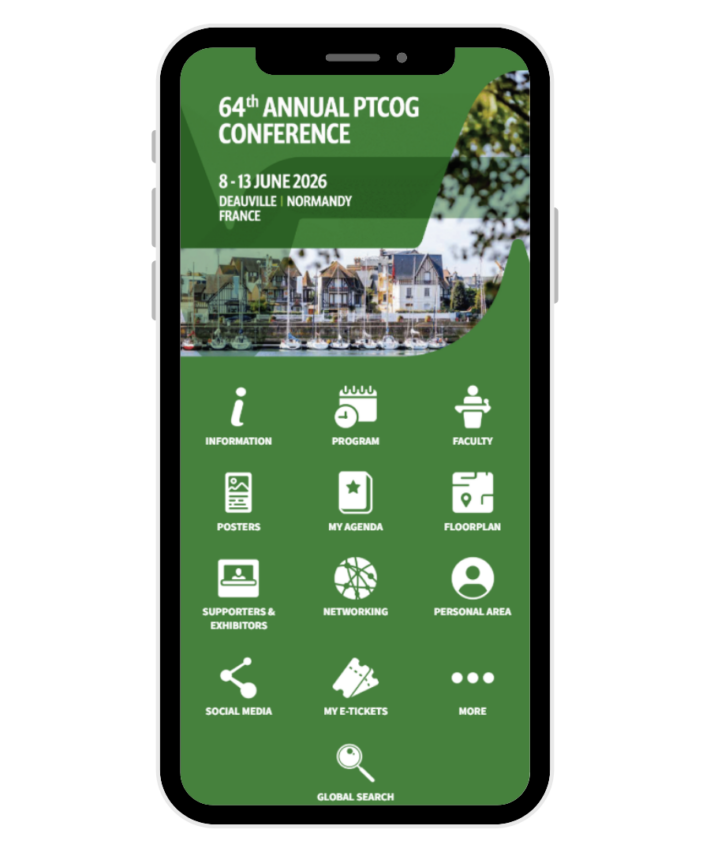
Build your customized schedule and explore the full program
Access detailed speaker and session information
Explore abstracts and posters at your own pace
Submit your questions to the speakers with ease (Find the session in the program and click on “Interactive Features”. Type your question, and click on the arrow to send it.)
Join live voting during selected sessions and be part of the discussion (Find the session from the program menu, open it, and click on the “Voting” button. Your voice matters!)
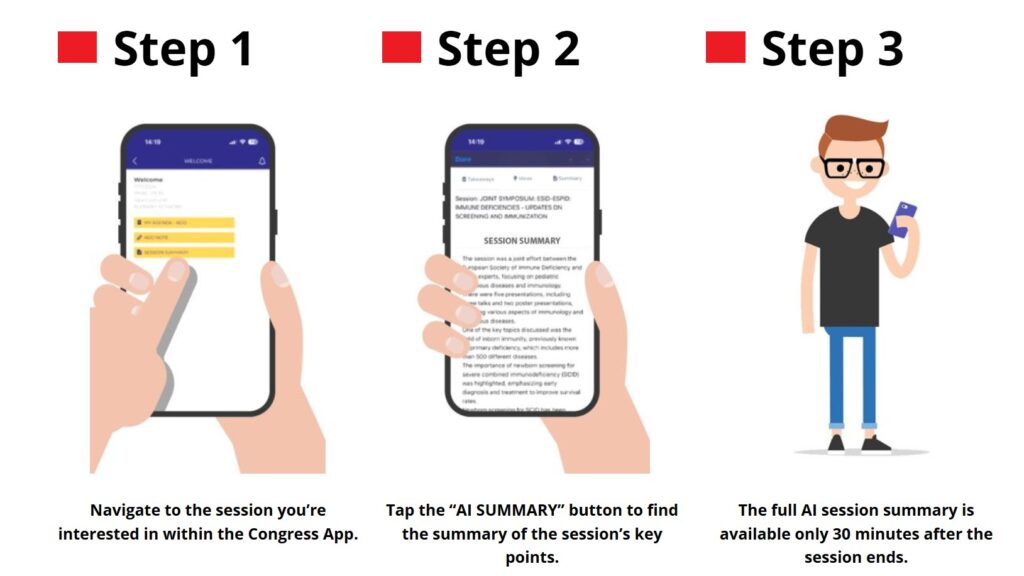
Access AI session summaries (Go to the session inside the program and click “AI Summary” for a full overview.)
And much more!
How to Get Started?
Scan the QR Code or search for ‘PTCOG’ on the App Store or Google Play
Download the PTCOG Society App
Log in with your email and password you’ve received.
Tap the header banner to access the PTCOG 64 Conference App
Enjoy!
NEW Feature: AI Summaries in the App
Don’t miss a beat with AI Session Summaries, an AI-powered tool that delivers concise, scientifically sound summaries of congress sessions, available in real-time and on demand.
Trained on scientific content, the AI algorithm ensures that key points, discoveries, and discussions are accurately captured and summarized, helping delegates stay engaged without taking extensive notes. This feature provides a seamless way to absorb essential insights from every session.