The information presented here is subject to change. Final guidelines and deadlines will be as published in the Industry Symposia Manual you will receive approximately 3 months prior to the event.
Industry Symposia Timetable
Industry Symposia Timetable
Industry symposia timetable will be published on the event website under “Support & Exhibit” tab.
Important notes:
- Industry Symposia are not included in main meeting CME/CPD credits.
- In order to support you in the best possible way, please share your plans and requirements with us. This information is invaluable for the success of your session. Please liaise directly with the Industry Coordinator.
- We recommend arriving early to set up the hall prior to the start of your Symposium. A member of the Kenes Operational team will be available onsite should you need any assistance.
- Handouts are allowed to be distributed at the entrance to the Symposium hall; however, it is NOT permitted to place material on the seats inside the hall.
- Printed tent cards placed on the head table are allowed and should be produced and provided by supporter.
- We ask presenters to follow the time schedule precisely in order for the day’s events to run smoothly. An updated programme can be found on the event website.
Catering/ F&B
Catering/ F&B
- Catering is exclusive to the venue and should be ordered in advance. Supporters who wish to order food and beverages for their symposium and/or meeting/hospitality room are welcome to do so directly with the catering team. Contact information will be shared in due course.
- Please check with the Industry Coordinator if food and drinks can be taken into the symposium halls (excluding hot dishes).
- If you are considering having catering together with the symposium, please note that an additional charge will be applied for cleaning the hall immediately following the session.
- Please check with the Industry Coordinator if lunch and refreshments will be served daily in the Exhibition Hall according to the event timetable.
- If you are planning to have catering/lunch boxes together with the symposium, it is recommended to indicate in all publications that lunch/refreshment will be served as long this is not contradicting the supporter’s internal compliance policy.
Speaker's Expenses
Speaker's Expenses
As indicated in the sponsorship agreement, the supporting company, in addition to the support fee, must cover all speakers’ expenses, including registration fees, accommodation and travel expenses. This also applies in the case where the Sponsored Symposium speakers have already been invited by the conference.
AV
Technical Rehearsal
We strongly recommend scheduling a technical rehearsal in the hall itself and testing the Presentations during that rehearsal. Please make arrangements directly with the Meeting Audio Visual Coordinator.
A technical rehearsal is offered free of charge; however additional charges may apply, depending on hall availability, rehearsal requirements and overtime of the technicians.
Presentations Upload Onsite
If you are using a PowerPoint presentation (or any other PC-based application), please note that you have to deliver it on a USB Memory stick to one of the technicians in the Speakers’ Ready Room as soon as you arrive at the Venue in the morning – and at least 1 hour before the start of the session.
Please note that the Computers for the Presentations will be supplied with Office 2019 (at least) and the native ratio of the projection on the screens in the halls is 16:9.
If you include video clips in your PowerPoint presentation, be sure to test it with the technician in the Speakers’ Ready Room at least 2 hours before the start of the session or as soon as you arrive at the venue in the morning. Please make sure to check it with the technician in the session hall where your lecture is taking place, during a coffee or noon break prior to your session, at least 30 minutes before the start of the session – even after checking it in the Speakers’ Ready Room.
Important Note for Macintosh Users
To use MAC presentations on the PC compatible meeting computer, please note that you need to prepare it according to the instructions below, before taking it to the speaker room:
- Convert it to PowerPoint or PDF.
- Use a common font, such as Arial, Times New Roman, Verdana etc. (Special characters might be changed to a default font on a PowerPoint-based PC).
- Insert the images as JPG files (and not TIF, PNG or PICT – these images will not be visible on a PowerPoint based PC).
As previously mentioned, we strongly recommend scheduling a technical rehearsal and testing the presentations during the rehearsal. Please plan directly with the Meeting Audio Visual Coordinator.
Basic AV Package will be shared in due course.
Symposium Signage (Optional)
Symposium supporters have the option to create signage promoting their symposium according to the below guidelines. The symposium signage should be produced by the supporter. Please make sure to follow the guidelines specified at the beginning of this section.
Session Hall Signage
- Self-Standing Sign at the Entrance
One stand-alone sign to be placed at the entrance of the session hall 30 minutes prior to the sessions published start time.
Please make sure to indicate the following disclosure on the sign: This session is not included in main event CME/CPD credits. - Stage Banners
- 1 x free standing vertical sign to be placed on/next to the stage. Maximum dimensions: 150cm wide x 250cm high.
- 1 x horizontal sign placed in front the head table facing audience.
- 1 x vertical sign placed in front of the speakers’ lectern facing audience.
Self-standing Signage in the Exhibition Area
The Supporter is entitled to place one sign (W85cm x H200cm) advertising the Symposium on the day of the session only. The sign may be placed in the exhibition area during exhibition opening hours. Please liaise onsite with the Industry Coordinator and Exhibition Manager regarding exact time and location.
Notice: Due to CME/CPD accreditation criteria, you may not place signage advertising your symposium in any other locations unless coordinated with Kenes staff onsite.
Symposium Badges
Symposium Badges
- Each symposium organiser is entitled up to 10 Symposium badges which allow access to their Industry Session only. These badges will not display individual names.
- Symposium badges will be prepared upon request only and can be collected at the Registration desk 2 hours prior to start of your Industry session.
- Symposium Badges needs to be returned to the Registration desk after the session has ended.
Wi-Fi
Wi-Fi
Complimentary Wi-Fi is available throughout the conference venue. Please note that this public network has limited capacity and is intended for light use, such as checking emails and general web browsing. If your symposium requires a dedicated or high-speed connection, please contact us in advance for a quotation. Furthermore, as certain sservices are provided exclusively by the organizers, we kindly ask that you consult with us before making any independent arrangements.
Waste Disposal
Waste Disposal
Please note that it is the supporter’s responsibility to leave the session hall in a clean and tidy manner once the session has finished. Any items such as leaflets, banners, roll-ups must be removed from the hall at the end of the session. Any discarded waste, including promotional material, left behind will be removed by the event’s organisers at the expense of the supporter concerned.
Badge Scanner/ Lead Retrieval System
Badge Scanner/ Lead Retrieval System
“K-Lead” Application – Barcode Scanner Application
Lead Retrieval Wireless Barcode Readers can be a helpful tool for receiving contact information about participants who attend your session.
We are pleased to offer you the K-Lead Application. Supporters can download the K-Lead app onto their own smart phone or tablet and transform their device into an instant, easy lead retrieval system and capture participants’ contact information with a quick scan of their badge.
Advantages of the K-Lead application:
- Seamless Integration: Download directly to your device; no extra hardware needed!
- Effortless Scanning: Quickly scan attendee badges to capture leads.
- Customizable Notes: Add personal comments to each lead for better follow-up.
- “Quick Scan” Function: Ability to quickly scan delegates as they enter the symposium hall.
- Instant Access: Get real-time lead information for immediate engagement.
- Universal Compatibility: Download from the Apple Store or Google Play using “KLead Pro” App.
Cost per unit: EUR 750 (excluding 4% credit card charges fees, excluding VAT if applicable).
Device is NOT included!
Deadline: Tuesday, 19 May
Onsite rate of EUR 850 will be applied for order received after above deadline.
Unlock the Power of K-Lead Plus: A completing product to our K-LEAD APP
Boost Leads & Save Time: Upgrade to K-Lead PLUS!
Say goodbye to manual follow up emails: add EUR 350 and upgrade your K-Lead App.
- Automated Follow-up Emails: Immediately after scanning, send personalized e-mails to every lead. Make every connection count without lifting a finger!
- Tailored Email Customization: Craft the perfect message with customizable subject line, e-mail content, and signature. Attach PDFs to add a polished, personal touch that stands out.
- Timely Engagement: Say goodbye to the hassle of manual follow-ups. K-Lead Plus handles it by sending tailored e-mails right after each scan, keeping your brand top of mind.
- Trackable Insights: Monitor how your e-mails perform with engagement metrics. Learn what works and refine your strategies for maximum impact, ensuring you’re always improving.
- Compatibility: K-Lead Plus requires at least one K-Lead license purchased.
Cost for K-Lead Plus: EUR 350
Key Notes for K-Lead and K-Lead Plus:
- Device Not Included: The application must be installed on your personal or company device (tablet/smartphone).
- Reliable Data: Participant badge barcodes carry contact details as provided by registrants or their agencies. Note: Group registration may contain basic information.
- Content Responsibility: Information content is managed by the registrant or their agency, not Kenes Group or the Organizing Committee.
- Easy Reservation: Secure your Wireless Barcode Reader in the Exhibitor’s Portal https://exhibitorportal.kenes.com.
- GDPR Compliance: We’ve updated our privacy policy in compliance with GDPR. Your personal data won’t be shared without consent. Presenting your badge for scanning implies consent to share your details.
- By purchasing the K-Lead and K-Lead Plus, Exhibitors and Sponsors agree to Data Processing Agreement.
API Integration
Do you want to use your own scanning device or app? Need real-time API integration?
We’re excited to introduce our new API-sharing service that seamlessly integrates delegate data from our events directly into your CRM. No more manual data entry—just instant, secure, and accurate lead transfer.
How it works:
- Instant API Access – Scan delegate badges using your own app/system and retrieve full attendee details.
- Real-Time Sync – Automatically update your CRM.
- CRM Compatibility – Integrates with major CRM systems like Salesforce, HubSpot, and Microsoft Dynamics.
- Data Accuracy – Ensure accurate, up-to-date delegate info, reducing manual entry errors.
- Custom Mapping – Adapt data fields to fit your CRM’s structure.
- Secure & Compliant – Advanced encryption ensures data protection.
- Analytics & Reporting – Gain insights on leads and engagement.
Cost:
License per event: €1800 invoiced before the event.
API calls: invoiced after the event, based on the number of calls (scans) made:
– Up to 200 calls – calculated by €4 per call
– Up to 500 calls – calculated by €3 per call
– From 500 calls and up – calculated €2 per call
Deadline to place your order for API integration: Thursday, 7 May
How to order any of these solutions? -> These services are available to purchase from the Exhibitor’s Portal https://exhibitorportal.kenes.com
For inquiries, please contact the Exhibition Manager E-mail:[email protected]
Blackout Policy
Blackout Policy
Meetings and Side Events Policy
To protect the integrity of the event program, companies may not organise meetings or activities that compete with official sessions.
- No scientific symposia, lectures, educational events, or “meet-the-expert” style sessions may take place outside the event venue during the event dates.
- All industry sessions must take place within the event venue and must be formally booked through the Sales Team.
- Closed meetings and social events (invitation-only) are permitted only during outside the official blackout hours and must not clash with the event program or Opening Ceremony.
- Internal staff meetings are permitted; however, if attended by event participants, they are also subject to the blackout policy and may not take place during program hours.
The Society expects all partners to respect these guidelines so delegates can fully engage with the official event content.
Innovative Products for Industry Symposia Onsite
Innovative Products for Industry Symposia Onsite
Maximize your Participant Experience – Use our innovative technologies for your Symposium!
PLEASE NOTE: All product solutions are offered exclusively by Kenes Group.
Kenes is proud to deliver a wide variety of quality onsite technology products and services.
We offer:
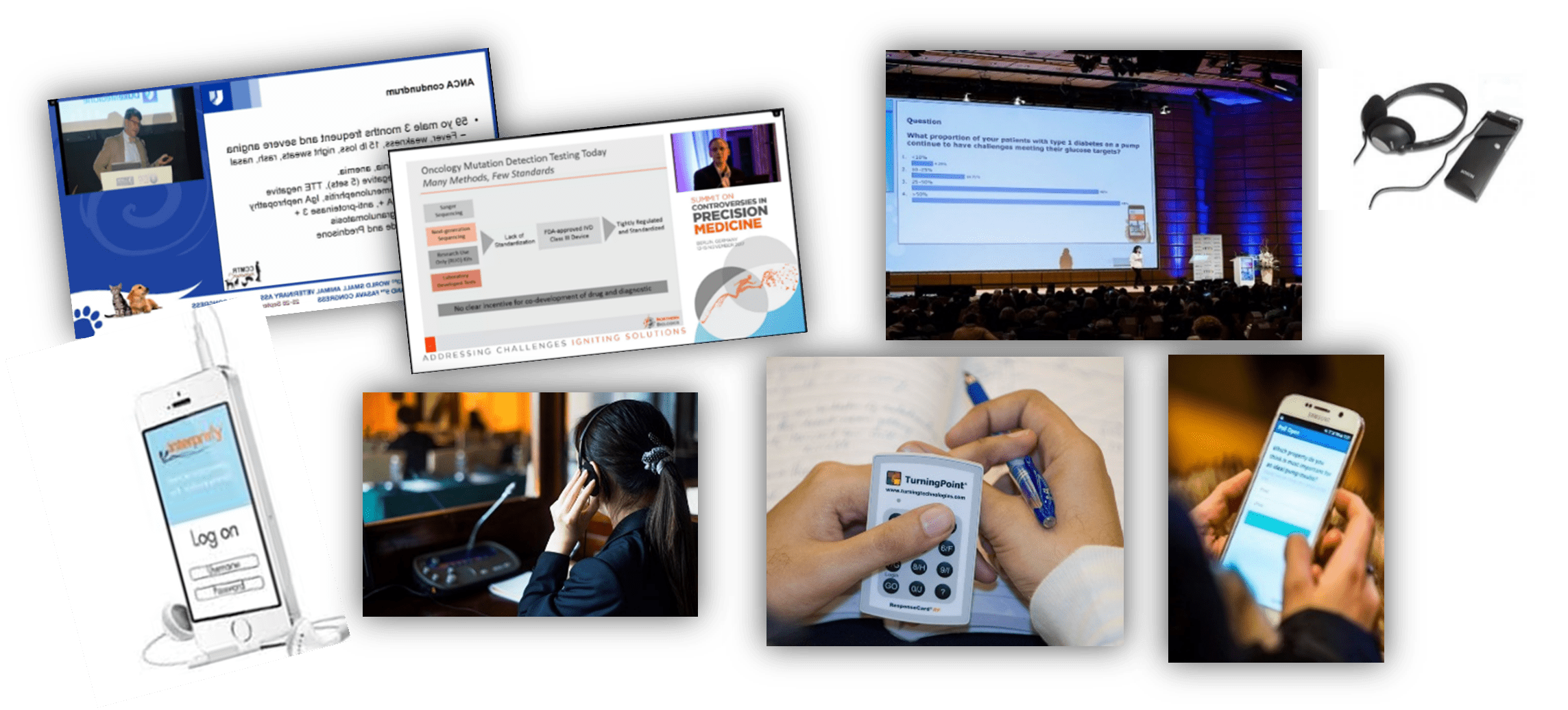
- Live Streaming and many more products designed for capturing and recording symposium content.
- Voting, Evaluations, and more products designed for increasing participants’ interaction during symposium sessions.
- Translation services for any language are available in two options. The conventional approach involves local interpreters and the use of headphone receivers. Alternatively, we offer a cutting-edge AI-powered solution. With this innovative method, participants can access live translations and captions seamlessly by scanning a QR code on their mobile phones.
We also provide tailor made customized solutions to fit your unique requirements.
For more onsite products opportunities and price quotes – contact our expert today ! Ms. Olaya Espejo. E-mail: [email protected]
Orders should be submited 6 weeks prior to the event. Orders received after the deadline will incur rush fees.